
UV Printing vs 4 Color Process Printing
UV printing and 4 color process printing are often grouped together because both are described as full color options. This is where confusion usually starts.
While both methods can reproduce multi color designs, they are used for very different reasons in real production. This page explains the difference based on how they are actually chosen in custom orders.
Quick decision guide
- Flat surface, photo style artwork: 4 Color Process Printing
- More surface types, flexible placement: UV Printing
UV Printing
UV printing cures ink instantly using ultraviolet light. The ink sits on the surface and hardens immediately, allowing for sharp edges and strong color.
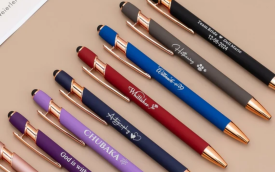
One of the main reasons UV printing is chosen is its ability to work on a wide variety of materials. It can be applied to plastic, metal, wood, and many surfaces that are not suitable for traditional printing.
Why it is chosen: surface flexibility, precise placement, and strong visual impact on non paper products.
4 Color Process Printing
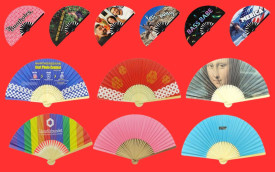
4 color process printing creates images by combining four base ink colors to reproduce photos, gradients, and smooth color transitions.
This method works best on flat, smooth surfaces where the artwork behaves more like an image than a logo. It is commonly used for paper based products and flat plastics.
Why it is chosen: accurate photo reproduction and smooth gradients on flat surfaces.
The real difference in plain terms
The difference between UV printing and 4 color process printing is not about how many colors they can print. It is about how the ink behaves on the surface.
UV printing places ink on top of the material and cures it instantly. 4 color process relies on controlled absorption and layering of ink on flat surfaces to create image depth.
Durability versus image quality
- UV printing: strong surface adhesion, sharp detail, good for hard goods
- 4 color process: excellent image depth and color transitions on flat materials
Neither option is automatically better. Each one is designed to solve a different type of printing problem.